









Blog
PHP2Shell: Two Critical PHP Flaws Put Millions of Websites at Risk. Here’s What to Do Now
23 October 2026
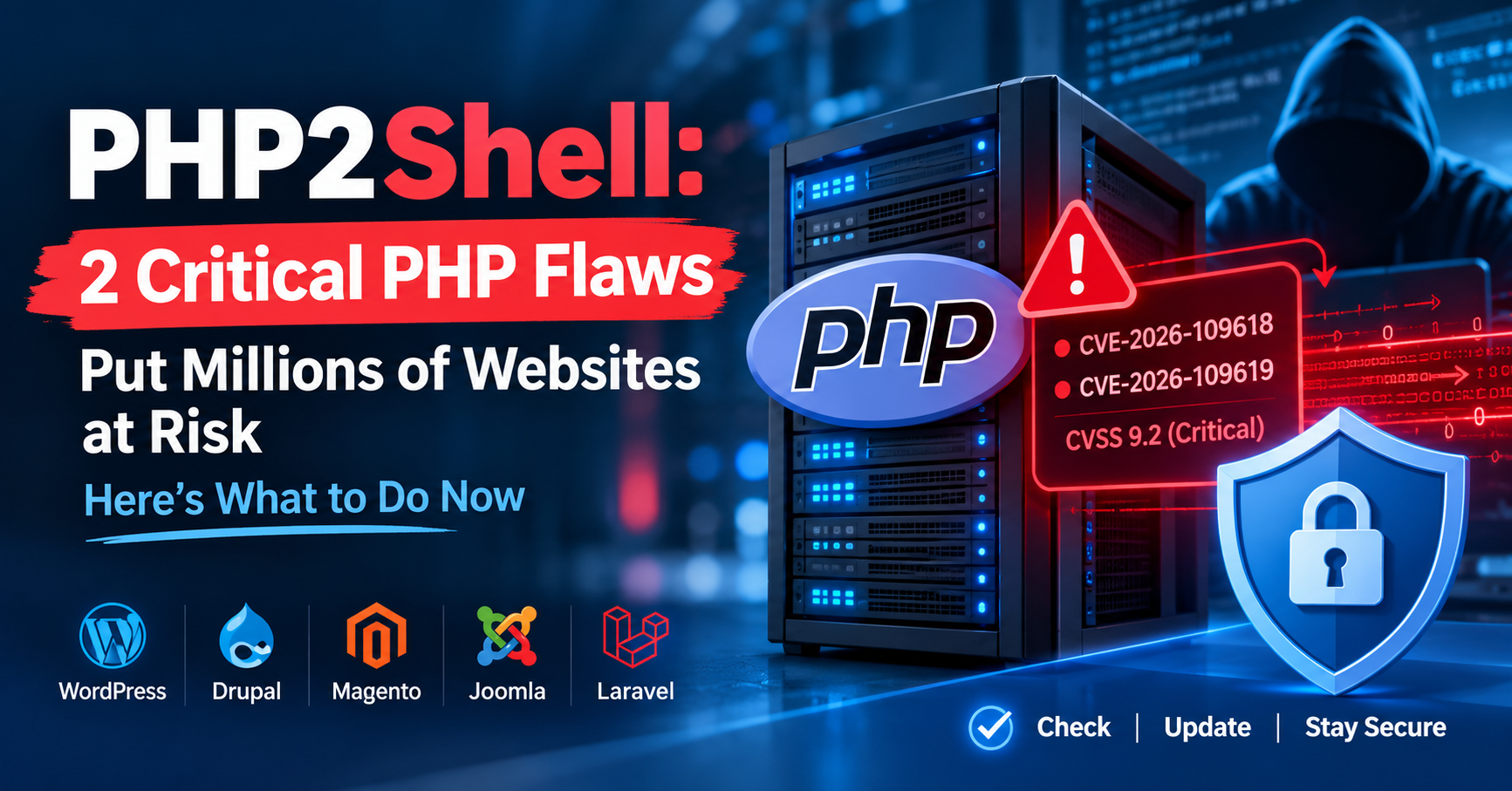
If your website runs on WordPress, Drupal, Magento, Joomla or Laravel, this story concerns you directly. In late October 2026, the web development world was jolted by two serious security flaws in PHP itself, nicknamed PHP2Shell. This guide explains what happened, why it matters, and the exact steps to protect your site.
What Is PHP2Shell?
PHP2Shell is the collective name for two vulnerabilities:
- CVE-2026-109618
- CVE-2026-109619
Both are rated 9.2 on the CVSS v4.0 scale, which puts them in the “critical” category. Neither bug sits in a plugin, a theme or a single CMS. They live in the PHP interpreter, the engine that runs your site’s code. That means any site on a vulnerable PHP version can be exposed, even if the application on top is fully up to date.
Security reports describe the flaws as remote code execution (RCE) problems. In plain terms, an attacker could try to run their own code on your server over the internet, without logging in. With that kind of access, an attacker can steal data, deface pages, plant malware or use your server to attack others.
How the Two Flaws Work (Simply Put)
CVE-2026-109618 is a memory-handling problem. When a server runs out of memory, PHP can halt while a request is only partly set up. During cleanup, the leftover half-built data is treated as if it were valid. That mistake can corrupt memory, and corrupted memory is something attackers can turn into code execution.
CVE-2026-109619 abuses state held in memory by the server. Security teams noted that restarting PHP workers clears that state, which makes a restart a useful short-term step. It is not a permanent fix.
For the full technical details, rely on the PHP project’s official security notices.
Why This Became a Big Story
1. PHP is everywhere. According to W3Techs, PHP powers roughly 70% of websites whose server-side language is known. That includes blogs, online stores, news portals and government sites.
2. The details leaked early. On October 20, 2026, a forum user posted the CVE identifiers days before the planned coordinated disclosure. Security firm watchTowr confirmed the leak was genuine. The post also made some claims, such as a maximum 10.0 severity, that did not match the official 9.2 rating. It is a good reminder to trust official sources over rumors.
3. The patch date moved up. The PHP security team had been planning a release around October 22. After the leak, it brought the emergency security release forward to October 21, 2026 at 14:00 UTC.
4. Old versions are affected too. Reports indicate the issue reaches back as far as PHP 5. Versions that have reached end of life are not expected to receive an official fix.
What Is Affected?
Because the problem is in PHP’s core, the risk applies across the common ways PHP serves web traffic:
- PHP-FPM
- Apache with mod_php
- php-cgi
- FrankenPHP
- LiteSpeed
Popular platforms such as WordPress, Drupal, Magento, Joomla and Laravel are exposed when they run on an unpatched PHP version.
The Real-World Fallout
Even before patches were available, some organizations took servers offline as a precaution. The developers of The SEO Framework pulled their servers down, and Japanese outlets reported emergency maintenance at several major services believed to be linked to the flaw. European news reports also described websites going dark while teams scrambled to respond.
Reports about exploitation shifted over time. Early bulletins said no active exploitation had been observed. Later security write-ups described early exploitation and mass scanning around the time of the patch release. The safe assumption is that attackers are actively hunting for servers that have not been updated.
An Interesting Twist: AI Helped Find the Bugs
According to published accounts, frontier AI models played a significant role in discovering these vulnerabilities. Researchers described finding the first flaw in August 2026, sending proof-of-concept code to the PHP team, and reporting a second bug soon after. The PHP Foundation also said its security team had published 15 CVEs since July while sorting through more than 100 reports that turned out to be invalid, duplicates or impossible to reproduce.
The takeaway is that AI-assisted bug hunting is getting faster, and it is available to defenders and attackers alike. Quick patching matters more than ever.
Which PHP Versions Fix the Problem?
The PHP project released these security updates on October 21, 2026:
| PHP branch | Fixed version |
| 8.5 | 8.5.12 |
| 8.4 | 8.4.27 |
| 8.3 | 8.3.36 |
| 8.2 | 8.2.35 |
Several reports stress that automatic platform updates may not apply this fix on their own, so administrators should verify the patch manually.
Your 8-Step Action Plan
1. Check your PHP version. Run php -v in a terminal or look at the PHP settings in your hosting panel. Compare the result with the table above.
2. Update PHP. On a VPS or dedicated server, install the patched PHP build through your operating system’s package manager. On shared hosting, ask your provider when the patched version will be available, or switch versions from your control panel if that option exists.
3. Restart services after updating. Reload or restart PHP-FPM and your web server so the new code actually runs. If you use containers, rebuild your images rather than just restarting them.
4. Move off end-of-life PHP. If you are on PHP 7 or older, plan a migration to a supported branch. Test on a staging site first, because older plugins and themes may break.
5. Reduce exposure while you wait. If you cannot patch immediately, consider putting the site into maintenance mode or taking it offline, or placing it behind a web application firewall. These are stopgaps only. PHP core developers have said that updating is the only full mitigation. Some advisories also suggested setting fatal_error_backtraces=0 on PHP 8.5 as an interim measure, applied in php.ini, .user.ini or your host’s PHP settings, followed by a reload.
6. Review your logs. Start well before October 20 and look for unusual requests, spikes in memory errors, and new or modified files on the server.
7. Rotate credentials. For internet-facing servers that stayed unpatched after October 20, changing database passwords, API keys and admin logins is a sensible precaution.
8. Take a backup. Make a full backup before you update and keep a copy off the server.
Lessons for Website Owners
- Plugin updates are not enough. The PHP version under your CMS matters just as much. Learn your host’s PHP update schedule.
- Verify before you panic. Rumors spread quickly during incidents like this one. Confirm details with official sources such as PHP.net and national CERT advisories.
- Keep an inventory. A simple list of your sites, servers and PHP versions saves precious time in an emergency.
- Automate backups and monitoring. They cost little compared with the damage of a compromised site.
Final Thoughts
PHP2Shell shows how a single flaw in a foundational technology can ripple across a huge part of the internet. The good news is that patches are available. The responsibility now falls on site owners and administrators to apply them quickly. An hour spent checking your PHP version, updating and restarting services today can prevent a serious incident later.
Frequently Asked Questions
It is the nickname for two critical PHP vulnerabilities, CVE-2026-109618 and CVE-2026-109619, that can lead to remote code execution on affected servers.
If your site runs on an unpatched PHP version, yes, even if WordPress itself is fully updated. The flaws are in PHP, not in WordPress.
The official fixed releases are 8.5.12, 8.4.27, 8.3.36 and 8.2.35. Stay on these versions or newer.
Those versions are end of life, and no official fix is expected. Migrate to a supported PHP branch as soon as you can, and in the meantime consider using a firewall or taking the site offline.
No. A restart can offer temporary relief for one of the issues, but the only complete solution is installing the patched version.
Contact your host to confirm the patch status, or choose a patched PHP version in your control panel if it is available. Getting written confirmation from support is a good idea.
Check logs for unusual activity, look for new or recently modified files, review admin accounts, and watch for unexplained spikes in resource use. If you suspect a breach, change your credentials and consider a professional security audit.
The PHP security team, CERT-EU and several security firms confirmed the vulnerabilities. Some details in the original leak, such as a 10.0 severity score, did not match the official 9.2 rating, so always check official sources.
Patch updates within the same branch usually carry low risk, but always back up first and test on a staging site if you can.
