












Blog
How to Redesign a Website Without Losing Google Rankings
15 October 2026

A fresh design can lift conversions and make your brand look credible again. It can also wipe out years of search visibility in a few weeks if it is handled carelessly. Many businesses learn this only after traffic falls off a cliff. The good news is that a ranking drop is not an unavoidable cost of a redesign. It is almost always the result of missed steps.
This guide explains how to redesign a website without losing Google rankings. It covers what to protect, what to change and what to monitor. If you are comparing website redesign services, it also shows you what a capable provider should be doing for you.
Why Redesigns Put Rankings at Risk
Google does not rank your design. It ranks your pages, their content, their links and the signals that show people find them useful. A redesign puts all of those at risk at the same time. URLs change, headings get rewritten, internal links disappear and page speed shifts.
When Google recrawls the new site, it may see pages that look unrelated to the ones it ranked before. Rankings then fall until the signals are rebuilt, and sometimes they never fully recover.
The risk is manageable once you know where it comes from. Most ranking losses trace back to five causes:
- Changed or deleted URLs without redirects
- Removed or thinned-out content that used to rank
- Broken internal link structure
- Slower page speed or poor mobile usability
- Pages accidentally blocked from crawling
Everything below is built around preventing these five problems.
Step 1: Audit Your Current Website Before Touching Anything
Start with a benchmark. You cannot protect what you have not measured. Before any design work begins, run a full technical SEO audit of the existing site and record the following:
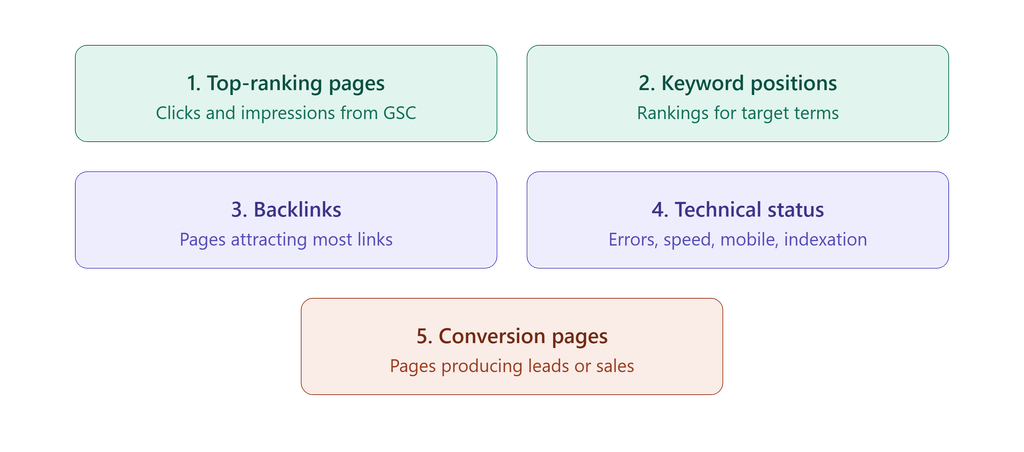
This audit tells you which pages are non-negotiable. A page that brings in 30 percent of your traffic needs far more care than an outdated news post from 2017.
Teams with SEO experience treat this as the foundation of the whole project. It is also why a good SEO service should be involved before the designers start, not after launch.
Step 2: Keep Your URL Structure Stable Where Possible
The safest URL is the one you do not change. If a page ranks well at /services/seo, keep it at /services/seo unless there is a strong reason to move it.
Sometimes change is necessary, for example when you move to a new platform or reorganise your site architecture. In that case, create a complete URL map in a spreadsheet. Put every old URL in one column and its new destination in the next. Include images, PDFs and any other indexed assets.
Then set up 301 redirects so each old URL points to the most relevant new page. A 301 redirect is a permanent redirect that tells Google the content has moved and passes most of the original page’s ranking signals to the new address. Avoid redirecting everything to the homepage. Google treats that as a soft 404, and you lose the relevance you built.
Step 3: Preserve High-Performing Content
Designers often want to simplify. That can mean cutting copy, shortening pages or merging sections. Simplicity is a good goal, but be careful with text that earns rankings.
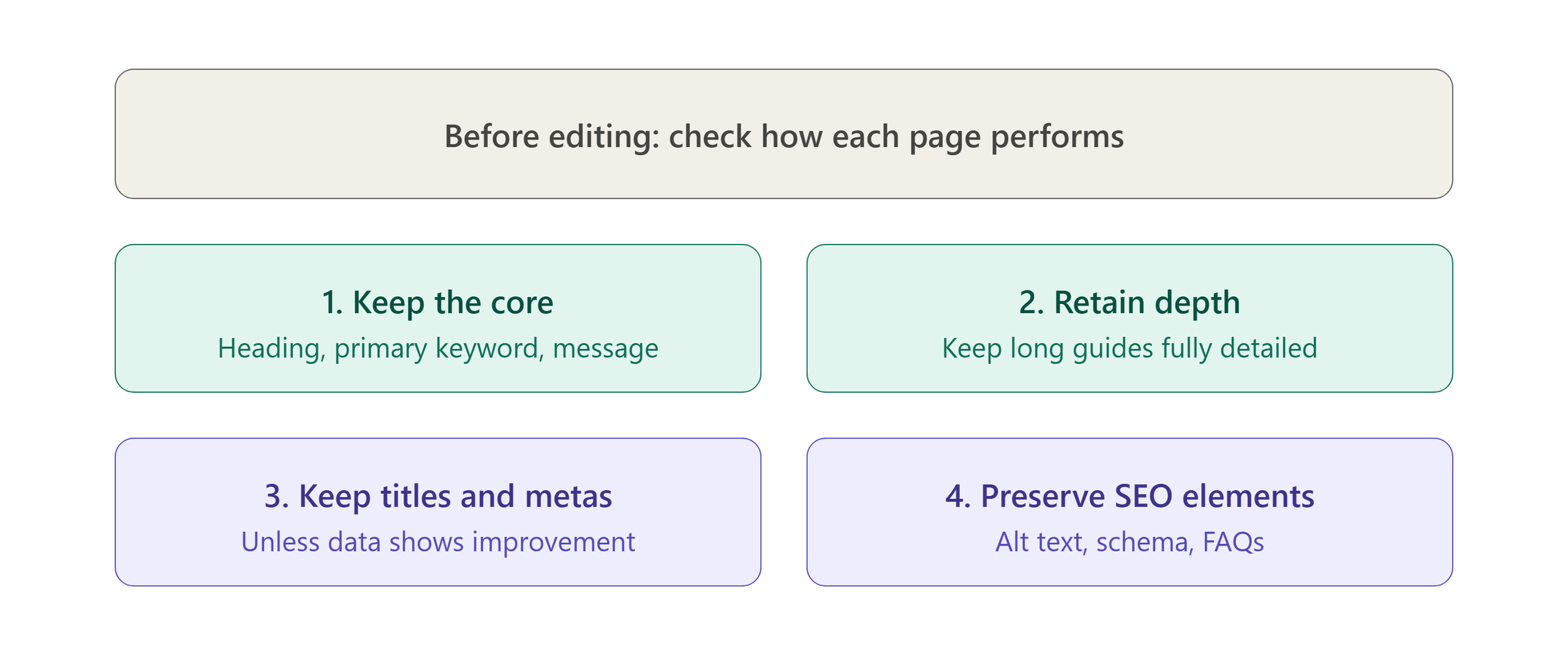
If you want to improve content, do it as a second phase after the redesign has stabilised. Changing the design, URLs and copy all at once makes it impossible to tell what caused any movement in rankings.
Content quality also matters for Google’s E-E-A-T standard, which stands for Experience, Expertise, Authoritativeness and Trustworthiness. Visible author bios, case studies, client reviews and clear contact details all support it. A redesign is a good moment to strengthen these signals rather than remove them. Our content marketing approach follows the same principle: every page should show real knowledge and real proof.
Step 4: Protect Your Internal Linking and Site Architecture
Internal links tell Google which pages matter and how topics relate to each other. During a redesign, navigation menus often get rebuilt and footer links get trimmed. Contextual links inside body content sometimes vanish altogether.
Organise your content in topic clusters. A cluster has one main pillar page that covers a broad subject, supported by detailed articles on related subtopics, all linked together. For example, a pillar page on digital growth can link to supporting guides on SEO, paid ads and conversion improvement.
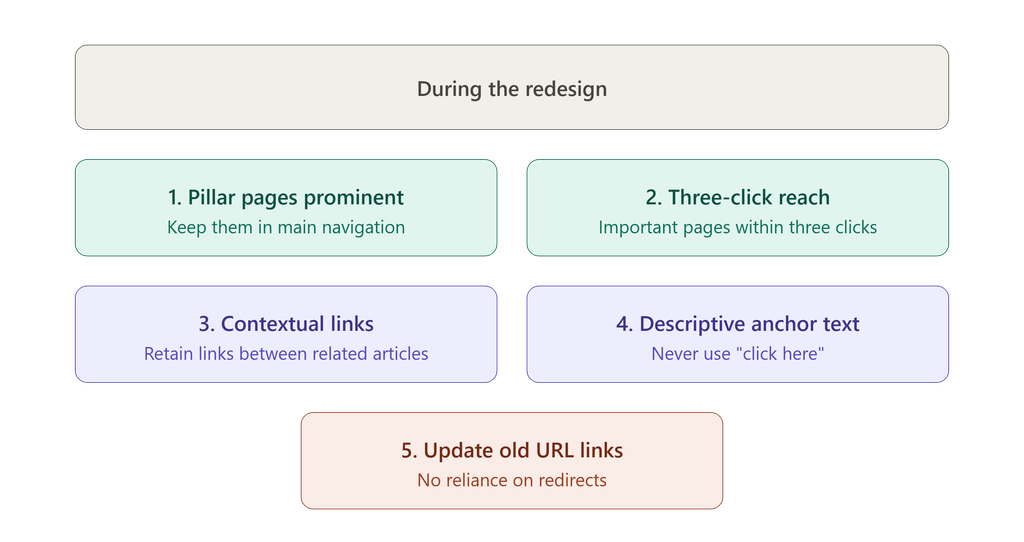
You can see this structure in action across the Maninder Wave blog, where related guides link back to the main service pages.
Step 5: Build and Test on a Staging Site
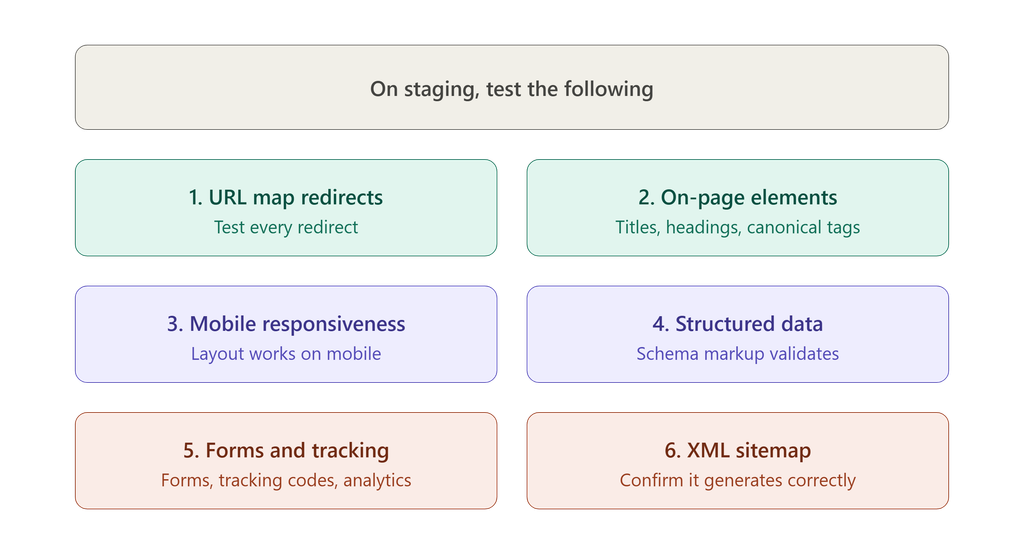
Never build a redesign directly on your live website. Use a staging environment that mirrors production. This is where mistakes get caught cheaply.
There is one critical warning here. Staging sites are usually set to “noindex” so Google does not list the unfinished version. When the new site goes live, that noindex tag or a robots.txt block sometimes comes along with it. The result is that your entire site drops out of search within days. Add a launch-day check for this specifically.
Step 6: Prioritise Speed, Mobile Experience and Core Web Vitals
A redesign is a chance to improve performance, but it can easily make it worse. Heavy sliders, large unoptimised images, auto-playing video and bloated scripts slow pages down.
Google uses Core Web Vitals as part of its page experience signals. These measure how fast the main content loads, how quickly the page responds to input and how stable the layout is while loading. Aim for a fast, mobile-first design with compressed images, lazy loading and clean code.
This is where quality web development services matter. Good developers build SEO requirements into the code itself, including semantic HTML, proper heading hierarchy and efficient rendering. Design that looks beautiful but loads in six seconds will cost you rankings and customers.
Step 7: Launch Carefully and Monitor Closely
Choose a launch window with lower traffic, such as a weekday off-peak period or a quieter season. Avoid launching just before a major sales campaign.
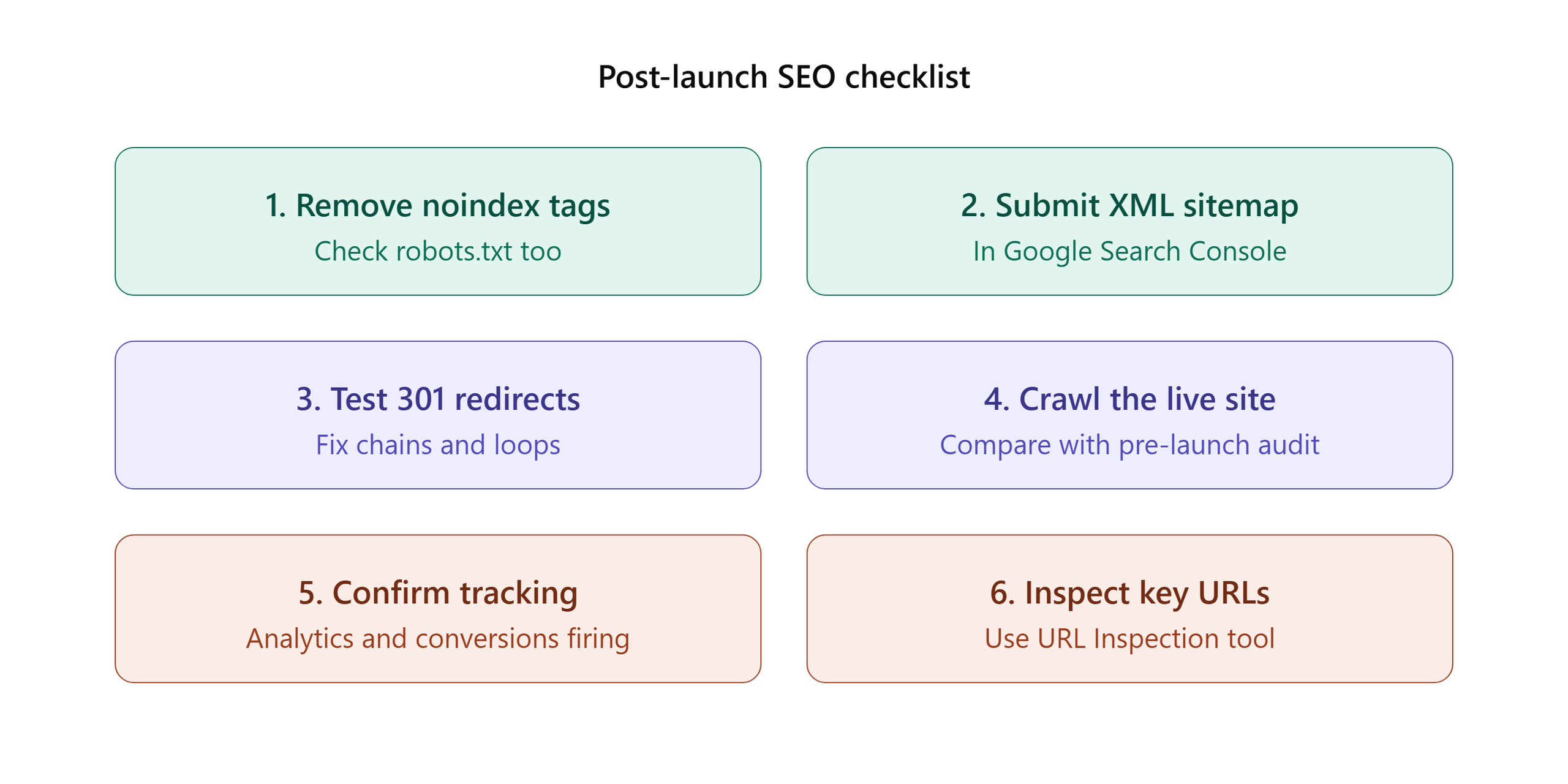
Then monitor daily for the first two weeks and weekly for the next three months. Watch impressions, clicks, average position, indexed pages and crawl errors. Small fluctuations are normal as Google reprocesses the site. A sharp, sustained drop means something needs fixing quickly.
Step 8: Improve Conversions After the Dust Settles
Rankings bring visitors, but your website still has to turn them into customers. Once the site is stable, use heatmaps, session recordings and A/B tests to refine layouts, calls to action and forms. This is the core of conversion rate optimization, and it makes your redesign pay for itself.
If you also run ads, update landing page URLs and tracking so your PPC campaigns do not send traffic to dead pages.
What to Look for in Website Redesign Services
Not every agency treats SEO as part of the redesign. When you evaluate website redesign services, ask these questions:
- Do you run an SEO audit before design begins?
- How do you create and test the redirect map?
- Will SEO specialists review the staging site?
- What is your post-launch monitoring plan?
- Can you show results from similar projects?
A provider who answers these clearly, with examples, is far more likely to protect your traffic. You can review real client outcomes on the case studies page and learn about the team’s process on how we work. Agencies like Maninder Wave, an AI-enabled digital marketing agency, approach growth as a connected system where design, content and search visibility support each other.
Final Thoughts
A redesign should strengthen your website, not put your visibility at risk. Audit first, protect your best pages, keep your URL and link structure intact, test thoroughly and monitor closely after launch. Follow these steps and you can modernise your site while keeping the rankings you worked hard to earn.
If you are planning a project and want a team that treats design, development and search visibility as one plan, get in touch for a free strategy call.
Frequently Asked Questions
It can, but it does not have to. Rankings usually fall when URLs change without redirects, content is removed or technical errors go unnoticed. With a proper audit, redirect plan and post-launch monitoring, most sites keep their rankings or even improve them.
If the redesign was handled well, small fluctuations typically settle within a few weeks. If there were significant errors, recovery can take several months, depending on how quickly the problems are found and fixed.
You need them for every URL that changes and has traffic, backlinks or ranking value. Redirect each old page to its closest equivalent on the new site. Do not send everything to the homepage.
Keep high-performing content intact at launch. Make content improvements in a second phase once rankings are stable. This makes it easier to measure what actually caused any change.
Cost depends on the size of the site, the platform, custom functionality and the amount of SEO work involved. Small business sites cost far less than large e-commerce builds. Ask for a clear scope and a written quote before you commit.
At the very beginning. An SEO specialist should review the plan before design starts, test the staging site and monitor performance after launch. Bringing them in after launch means problems are found too late.
