











Blog
Claude Meetings: Anthropic’s AI Now Joins Your Video Calls and Gets Work Done Live
11 November 2026
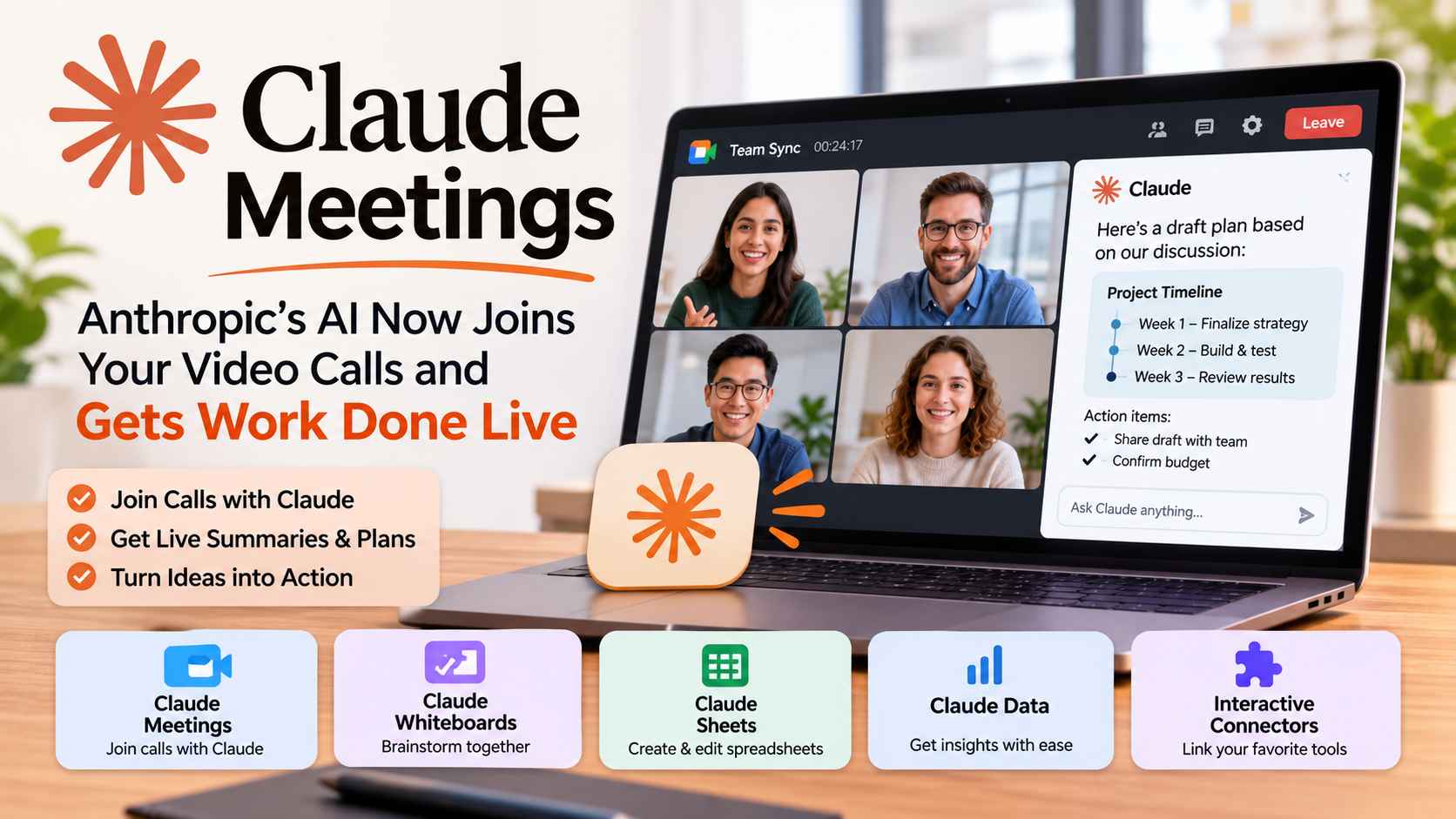
Most meetings end the same way. Everyone says “great discussion,” the call drops, and then somebody has to write the notes, build the plan, and chase the tasks. Anthropic wants to change that sequence. On November 10, 2026, the company introduced Claude Meetings, a feature that places Claude inside a video call so the work can begin while people are still talking.
Alongside it came Claude Whiteboards, Claude Sheets, a generally available Claude Data, and a set of interactive connectors. Together, they signal that Anthropic is building a full AI workspace for teams, not just a chatbot.
This guide explains what each tool does, who can use it, how it compares with rivals, and what businesses should consider before rolling it out.
What Is Claude Meetings?
Claude Meetings is a beta feature from Anthropic that lets teams add Claude to a video call as a visible participant. Claude listens to the conversation, drafts documents, builds timelines on a whiteboard, answers questions in the meeting chat, and pulls data from connected work apps, all in real time. After the call, the notes and action items are saved in claude.ai.
That single paragraph is the core of the announcement. Everything else builds on it.
How Claude Meetings Works
A team member invites Claude into a call the same way they would invite a colleague. Claude then appears in the participant list and follows the discussion as it unfolds. Instead of waiting for a summary request at the end, it starts producing useful output immediately.
During a live call, Claude can:
- Draft the plan that the group is describing, updating it as the conversation shifts.
- Map a timeline on a shared whiteboard so milestones and dates become visible.
- Reply inside the meeting chat when someone asks a question.
- Fetch information from connected apps, for example last year’s numbers that someone mentions but cannot find quickly.
Once everyone leaves, the meeting notes, action items, and any other materials Claude produced remain available inside claude.ai. Nothing needs to be copied from a transcript or reconstructed from memory.
Anthropic’s argument is straightforward: the real work from a meeting normally begins after it ends. By starting during the call, teams skip the lag between a decision and its first draft.
Privacy and Control: What Anthropic Built In
Any tool that listens to calls raises obvious questions. Anthropic included several guardrails at launch:
- Claude announces itself. It shows up as a participant and posts a notice in the meeting chat, so nobody is recorded or assisted without knowing.
- External guests are restricted. Claude will not join calls that include people outside the company unless an administrator has authorized it.
- Automatic exit. If an outside guest joins midway, Claude leaves the call on its own.
For companies handling client conversations, legal discussions, or sensitive roadmaps, these defaults matter. They reduce the chance of an AI quietly sitting in a meeting where it should not be.
Availability and Platform Support
- Plans: Claude Meetings is in beta for Team and Enterprise customers.
- Video platform: At launch it supports Google Meet. Other platforms are expected later.
- Whiteboards and Sheets: Both are in beta on paid plans across web, desktop, and mobile.
- Claude Data: Generally available.
If your company runs on Zoom or Microsoft Teams, you will need to wait for expanded support before using Claude Meetings directly.
Claude Whiteboards: Brainstorming Without the Copy-Paste
Plenty of people already brainstorm with Claude in a chat window. The problem is sharing that thinking. Ideas end up copied into a document or a slide, and the collaborative momentum disappears.
Claude Whiteboards removes that step. It gives a team one shared board where members and Claude work together in real time. Claude can turn loose discussion into an organized visual workspace, complete with timelines and deadlines.
When the session is finished, the board can be converted into a document or a slide deck. And because Whiteboards also work inside Claude Meetings, the board fills in while the team talks. A kickoff call can end with a visual project plan already on screen.
Claude Sheets: Spreadsheets Built Through Conversation
Claude Sheets lets teams create and edit spreadsheets together with Claude. A manager might ask for a campaign tracker or a hiring budget, and Claude generates a working file rather than a rough outline.
Key capabilities include:
- Multiple tabs within one spreadsheet
- Formulas and formatting
- Dropdown menus
- Direct cell edits made alongside human teammates
- A clear explanation of each change Claude makes, so people can review what happened
That last point is important. Spreadsheet errors can be expensive, and visible change tracking makes it easier to trust AI-assisted edits. Claude handles the heavy setup, while the team keeps refining the same file.
Claude Data and Interactive Connectors
Anthropic also moved Claude Data, previously named Claude Dashboards, to general availability. It links Claude to the systems where company numbers live, such as a data warehouse or a CRM. Users ask questions in plain language, and Claude replies with dashboards, written data stories, or narrated videos.
The new interactive connectors go a step further. They open the full version of tools like Adobe, Atlassian, and HubSpot inside Claude, so teams can work in those apps right next to their Claude conversation and ask the assistant to act within them. The goal is one workspace instead of a dozen browser tabs.
Why This Launch Matters: The Office Suite Race
This announcement does not exist in isolation. Weeks earlier, OpenAI introduced a group of workplace tools that let people collaborate with ChatGPT to visualize company information and build presentations. Meta is pushing its own Muse agent, which can build small apps on the fly for specific tasks.
The pattern is clear. Every major AI company wants its product to become the place where work happens, directly challenging the long-standing position of Microsoft and Google in workplace software. Claude Meetings is Anthropic’s answer, and its distinguishing bet is real-time participation in conversations rather than after-the-fact summaries.
How Teams Can Use These Tools Today
Here are practical scenarios where the new features could save time.
Project kickoffs. Claude drafts the scope and builds a timeline on a whiteboard while stakeholders discuss deadlines.
Marketing planning. A team describes a campaign, and Claude produces a tracker in Sheets with channels, owners, and budgets.
Sales and finance reviews. When someone asks about last year’s revenue, Claude retrieves it from a connected system and posts it in chat.
Hiring discussions. A hiring budget spreadsheet takes shape during the call instead of the next day.
Client-ready deliverables. After a brainstorm, the whiteboard converts to a slide deck with minimal manual work.
Things to Consider Before Adopting
No tool should be switched on without thought. Before enabling Claude Meetings, teams should:
- Check the plan. The feature needs a Team or Enterprise subscription.
- Confirm the platform. Only Google Meet is supported for now.
- Set admin policies. Decide who may invite Claude and how external guests are handled.
- Review outputs. Beta software can misunderstand context, so someone should verify plans, figures, and action items.
- Tell participants. Even though Claude announces itself, a short heads-up builds trust.
The Bigger Picture
AI assistants have been moving from answering questions to doing work. Meeting summaries were the first step; participating in the meeting is the next. If Claude Meetings performs reliably, it could shrink the gap between talking about a task and starting it. That is a meaningful shift for any organization where meetings consume a large share of the week.
It also raises the bar for competitors. Once teams get used to a plan appearing while they speak, a silent note-taker will feel behind.
Conclusion
Claude Meetings, Whiteboards, Sheets, and Data show where workplace AI is heading: away from the chat box and into the shared spaces where teams actually decide things. The tools are still in beta, Google Meet is the only supported platform, and human review remains essential. Even so, the direction is unmistakable. Organizations that learn how to work with an AI participant early will likely be better prepared when these features mature.
Frequently Asked Questions
Claude Meetings is a beta feature from Anthropic that adds Claude to a video call as a visible participant. It follows the discussion and works on tasks such as drafting plans, building timelines, and answering chat questions while the meeting is still happening.
At launch, it works with Google Meet. Anthropic has indicated that more platforms are expected to follow.
It is currently in beta for Team and Enterprise plan customers.
Yes. Claude identifies itself as a participant and posts a notice in the meeting chat.
Not by default. It joins such calls only if an admin authorizes it, and it leaves automatically if an external guest enters the call.
Notes, action items, and other materials Claude creates are available in claude.ai after the call ends.
It is a collaborative board where teams and Claude build plans together. Claude can structure the ideas into timelines and deadlines, and the board can be converted into a document or slide deck.
It creates and co-edits spreadsheets with multiple tabs, formulas, formatting, and dropdown menus. Claude edits cells alongside the team and explains each change it makes.
