











Blog
AI Business Automation in Canada: A Practical Guide to Smarter Business Growth
13 October 2026
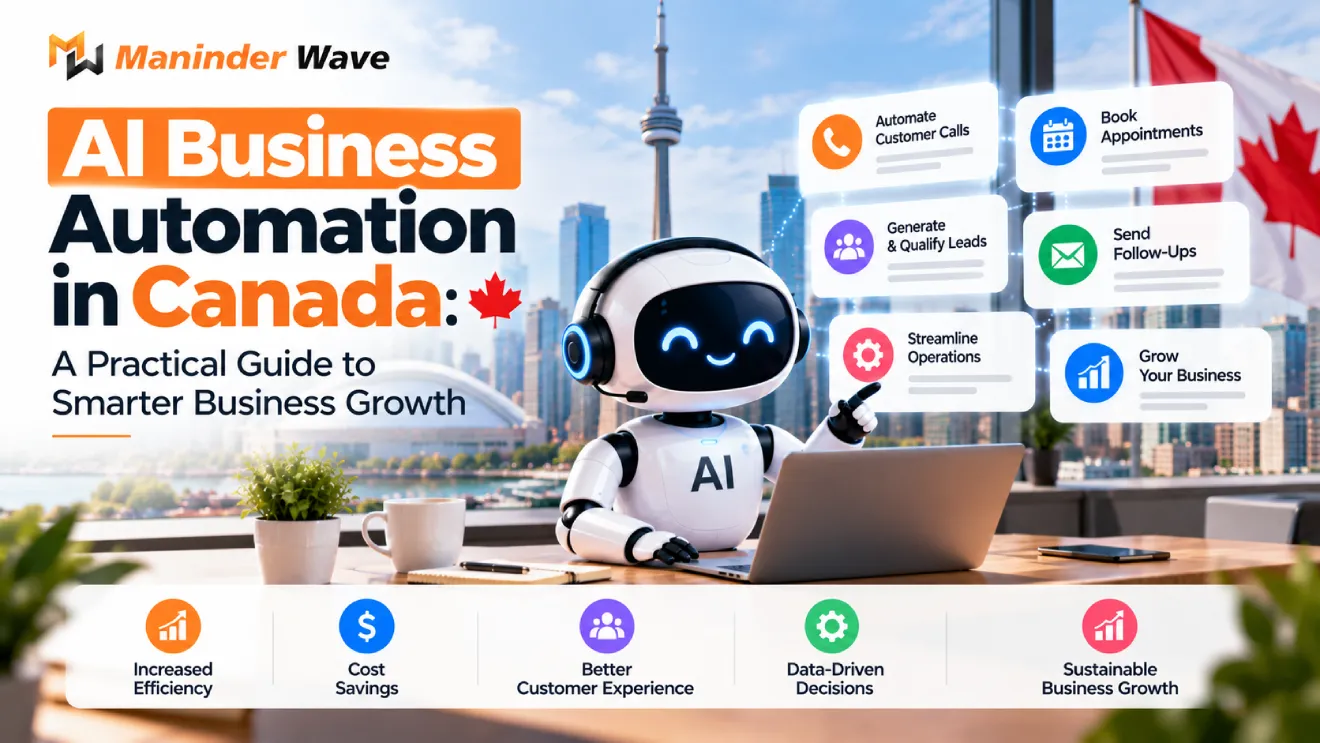
Running a business involves more than attracting customers and generating sales. Business owners must also manage customer enquiries, follow up with leads, organize marketing campaigns, and handle repetitive administrative tasks. When these activities depend entirely on manual work, valuable opportunities can be missed.
AI business automation helps businesses simplify daily operations, improve efficiency, and manage repetitive tasks with less manual effort. By combining artificial intelligence with automated workflows, companies can improve customer communication, organize marketing activities, and make better use of their resources.
For Canadian small and medium-sized businesses, AI automation offers practical opportunities to improve lead management, customer service, reporting, and digital marketing. The key is to identify the right processes, select suitable tools, and implement automation with clear business objectives.
In this guide, we explore how AI business automation works, its benefits, practical applications, implementation steps, and how Canadian businesses can use it to support sustainable growth.
Key Takeaways
- AI business automation helps reduce repetitive tasks and improve operational efficiency.
- Automated lead follow-ups can help businesses communicate with potential customers more consistently.
- AI-powered marketing workflows can support content planning, campaign management, and reporting.
- Connecting automation with existing CRM and marketing tools can create more organized workflows.
- Businesses should start with one clear objective before expanding their automation strategy.
- Human oversight, data security, and regular performance monitoring remain essential.
1. Why Canadian Businesses Are Adopting AI Automation
Canadian businesses operate in a competitive market where customers expect timely responses, personalized communication, and convenient digital experiences. At the same time, small teams often have limited resources to manage every business activity manually.
Consider a business that receives enquiries through its website, social media accounts, and email. If every enquiry requires someone to review the message, update a spreadsheet, assign a team member, and send a response, the process can become slow and inconsistent.
AI automation can simplify these steps by connecting different tools and triggering actions automatically.
For example, when a potential customer submits a website form, an automated workflow can record the enquiry in the company’s CRM, send an acknowledgement email, notify the relevant team member, and schedule a follow-up reminder.
This process helps businesses organize incoming enquiries and reduce the risk of missing potential customers.
AI automation can also support marketing teams by helping them prepare content drafts, organize campaign data, summarize reports, and identify opportunities for improvement.
The goal is not to automate every business activity. Instead, businesses should focus on repetitive processes where automation can improve speed, consistency, and productivity.
2. What Does AI Business Automation Include?
AI business automation combines artificial intelligence, workflow tools, and business software to complete tasks with less manual involvement.
Traditional automation follows predefined rules. AI adds capabilities such as understanding customer messages, categorizing information, summarizing documents, and preparing responses. Many effective workflows combine both approaches.
Lead Generation and Follow-Up
Lead generation is an important part of business growth, but collecting enquiries is only the first step. Businesses must also respond promptly, qualify prospects, and maintain communication.
AI-powered automation can help businesses capture leads from website forms, organize enquiries according to customer needs, send appropriate follow-up messages, assign leads to sales representatives, and track interactions through a CRM.
For example, a Canadian digital marketing agency can create a workflow that records every new enquiry, sends an acknowledgement, and reminds the sales team to follow up.
This approach helps create a more consistent lead management process and allows employees to focus on building customer relationships.
Marketing Campaign Automation
Managing campaigns across several digital platforms can be time-consuming. AI-supported workflows can help marketing teams organize campaign activities and reduce repetitive work.
Businesses can use automation to prepare social media content drafts, repurpose existing blog posts, organize email campaigns, schedule approved content, and collect performance data.
Human review remains important to ensure that content reflects the brand’s voice, provides accurate information, and meets business objectives.
Customer Support and Communication
Customers frequently ask similar questions about products, services, pricing, availability, and business processes. AI chatbots and automated communication workflows can help answer routine questions using approved information.
A well-designed system can also recognize enquiries that require human assistance and direct them to the appropriate team member.
For example, a service-based business can use an AI chatbot to collect basic enquiry details before transferring the conversation to its sales or support team.
Reporting and Data Management
Marketing and sales teams often collect information from different platforms. Preparing reports manually can involve copying data, checking figures, and formatting spreadsheets.
Automation can help consolidate information from connected systems, generate recurring reports, and notify teams when important metrics change.
Businesses should regularly verify their integrations and ensure that automated reports accurately reflect the underlying data.
3. How to Choose an AI Automation Consultant in Canada
Choosing the right AI automation partner requires more than comparing software features or selecting the provider with the most impressive presentation.
Businesses should look for a solution that fits their existing processes, budget, and long-term objectives.
Before choosing an AI automation consultant, consider the following questions.
Does the solution work with your existing tools?
Check whether the proposed system can connect with your CRM, website, email marketing platform, scheduling software, and other essential applications.
Which business problem will it solve?
A reliable consultant should identify a specific challenge, such as slow lead follow-up, repetitive reporting, or manual data entry, before recommending technology.
How will success be measured?
Establish clear performance indicators, such as response time, hours saved, lead follow-up completion, or the number of manual steps eliminated.
How is customer data protected?
Ask how information is stored, who can access it, which third-party services process it, and how long records are retained.
What happens when automation fails?
Every workflow needs an appropriate process for errors, unexpected inputs, and situations requiring human intervention.
The right automation partner should explain these details clearly and help your business understand both the benefits and limitations of the proposed solution.
4. Automating Marketing, Sales, and Everyday Business Tasks
For many businesses, the most practical starting point is automating tasks that happen frequently and follow a consistent process.
For lead management, automation can capture website enquiries, update CRM records, send acknowledgement emails, and schedule follow-up reminders.
For email marketing, businesses can create automated customer journeys based on approved triggers and customer interactions.
For social media, AI tools can assist with content ideas, draft captions, and organize publishing schedules. Businesses should review content before publishing to maintain quality and accuracy.
For marketing reporting, connected tools can collect available campaign data and prepare recurring summaries for analysis.
Automation should support your team’s work rather than introduce unnecessary steps. Before implementing a workflow, review the current process and remove tasks that do not add value.
Why Marketing Automation Matters
Marketing automation helps businesses maintain consistent communication throughout the customer journey.
For example, a potential customer may discover a company through an organic search, read a blog post, and submit a contact form several days later. A connected marketing system can record the enquiry, identify its source, and initiate an appropriate follow-up process.
When these activities are connected properly, businesses can better understand how their marketing efforts contribute to enquiries and sales.
For Canadian businesses looking to strengthen their digital presence, combining SEO, targeted advertising, content marketing, and automation can create a more organized approach to lead generation.
5. How to Implement AI Business Automation Step by Step
A successful automation project begins with a business problem, not a software subscription. Following a structured process helps businesses avoid unnecessary investment and evaluate results more effectively.
Step 1: Review Your Current Processes
Identify repetitive tasks, delays, duplicate data entry, and areas where leads or customer requests are being missed.
Speak with employees who manage these processes daily. Their feedback can help identify problems that may not be obvious from management reports alone.
Step 2: Choose One Priority
Select a process with a clear business benefit. Lead follow-up, appointment reminders, and marketing reports can be suitable starting points.
Focusing on one priority makes it easier to test the solution and measure its impact before expanding the project.
Step 3: Map the Workflow
Define what triggers the automation, what actions it should perform, which systems it needs, and when a person must review the result.
A clear workflow reduces confusion and helps ensure that automation supports the actual business process.
Step 4: Build and Test
Configure the required tools and integrations, then test different scenarios. Include incorrect inputs, duplicate records, integration failures, and situations that require human support.
Testing helps identify problems before the automation becomes part of everyday operations.
Step 5: Measure and Improve
Compare the results with your original performance benchmarks. Monitor accuracy, time saved, response times, and customer experience.
Use the findings to improve the workflow before introducing automation to additional business activities.
A phased approach allows businesses to learn from their first implementation and make better decisions about future investments.
6. Three Practical AI Automation Examples for Canadian Businesses
The right automation strategy depends on the business model, team size, and operational challenges.
Example 1: A Small Service-Based Business
A local service provider receives enquiries through its website and phone calls. Because the owner spends much of the day serving customers, some enquiries receive delayed responses.
An automation workflow could capture website enquiries, send an acknowledgement, create a CRM record, and schedule a follow-up reminder.
This creates a more organized lead management process without requiring the owner to monitor every enquiry manually.
Example 2: A Digital Marketing Agency
A marketing agency manages SEO, PPC, and social media campaigns for several clients. Preparing weekly reports requires collecting information from multiple platforms.
An automated reporting workflow can gather available campaign data, organize important metrics, and prepare a report for review.
The marketing team can then spend more time analyzing performance and developing strategies instead of repeatedly compiling spreadsheets.
Example 3: An E-Commerce Business
An online store receives customer questions about products, shipping, returns, and order status.
An AI-supported customer service system can answer approved frequently asked questions, direct customers to relevant resources, and collect details for requests that require personal assistance.
The business can provide more consistent support while ensuring that sensitive issues and exceptions reach a human representative.
These examples demonstrate why automation should be selected according to actual business needs rather than adopted simply because the technology is available.
7. What AI Business Automation Cannot Fix
Although AI automation can improve efficiency, it is not a complete solution for every business challenge.
Poor business processes: Automating an inefficient process may simply make the same problems happen faster.
Weak marketing strategy: Automation cannot replace a clear understanding of the target audience, brand positioning, and value proposition.
Low-quality data: Inaccurate or incomplete information can lead to incorrect outputs and decisions.
Lack of customer trust: Automated messages cannot compensate for poor service, misleading claims, or unresolved customer complaints.
Insufficient human oversight: AI systems can produce inaccurate responses or mishandle unexpected situations.
Businesses should also review privacy requirements, access permissions, and applicable Canadian regulations before processing customer information through AI tools.
The best results come from combining reliable processes, suitable technology, and human judgment.
8. A Practical 90-Day AI Automation Roadmap
Businesses do not need to automate everything at once. A structured 90-day roadmap can help teams introduce changes gradually and evaluate their impact.
Days 1–14: Audit and Planning
Identify operational bottlenecks, document existing workflows, establish performance benchmarks, and select the first automation opportunity.
Days 15–35: Development and Testing
Configure the workflow, connect the required tools, test different scenarios, and confirm that the process works as intended.
Days 36–60: Launch and Monitoring
Introduce the automation to a limited workflow, review outputs, collect team feedback, and resolve any problems.
Days 61–90: Evaluation and Expansion
Compare performance against the original benchmarks. Improve the workflow and consider expanding to other processes if the results justify it.
This timeline is a planning framework rather than a guarantee. Actual implementation time depends on workflow complexity, data quality, available resources, and the systems involved.
9. How Much Does AI Business Automation Cost in Canada?
The cost of AI business automation varies according to the type of workflow, number of integrations, complexity, and ongoing support requirements.
A simple workflow connecting a website form to a CRM may require considerably less investment than a custom AI system involving multiple business applications, complex decision-making, and extensive testing.
Businesses should consider the following cost factors:
Initial development: Workflow planning, configuration, and implementation.
Software subscriptions: AI platforms, automation tools, and connected applications.
Integration: Connecting existing systems and managing data between platforms.
Maintenance: Monitoring, troubleshooting, and updating workflows.
Training: Helping employees use and manage the system effectively.
Before committing to a project, request a clear breakdown of setup costs, recurring fees, maintenance, and additional usage charges.
It is also important to estimate the potential return on investment.
For example, if an automation saves five hours of work each week, calculate the value of that time using your actual labour costs. Then compare the annual benefit with the total cost of implementation and ongoing operation.
This provides a more useful basis for decision-making than choosing a solution based on its features alone.
Conclusion: Build a Smarter Business with AI Automation
AI business automation is becoming an important consideration for businesses that want to improve efficiency, strengthen customer communication, and make better use of their existing resources.
For Canadian businesses, the most effective approach is to begin with a clearly defined challenge. Whether it is managing leads, organising marketing campaigns, improving customer support, or simplifying reporting, the right workflow can help reduce repetitive work and create more consistent processes.
However, successful automation requires more than adopting new technology. Businesses need reliable data, clearly defined processes, appropriate security measures, and ongoing performance monitoring.
By combining AI automation with a strong digital marketing strategy, businesses can build a more connected approach to attracting prospects, nurturing leads, and supporting sustainable growth. Maninder Wave helps businesses strengthen their digital presence through strategic digital marketing solutions, bringing together technology, data-driven insights, and marketing expertise to support business growth in an evolving digital landscape.
Frequently Asked Questions About AI Business Automation
AI business automation uses artificial intelligence and automated workflows to complete repetitive business tasks. It can support lead management, customer communication, reporting, data processing, and marketing operations.
It can reduce repetitive manual work, improve response times, organize customer enquiries, and make everyday processes more consistent. The benefits depend on the workflow and how effectively the system is implemented.
Yes. Automation can capture enquiries, organize leads, assign them to the appropriate team, and trigger follow-up reminders. AI can also help classify enquiries and prepare relevant responses.
Many business applications support integrations through built-in connectors, APIs, or webhooks. The available options depend on the software, access permissions, and technical requirements.
Yes. Small businesses can begin with a single repetitive task rather than implementing a complex system. Lead follow-up, appointment reminders, and recurring reports are potential starting points.
