












Blog
Website Speed Optimisation Services: Improve SEO, User Experience and Conversions
16 October 2026
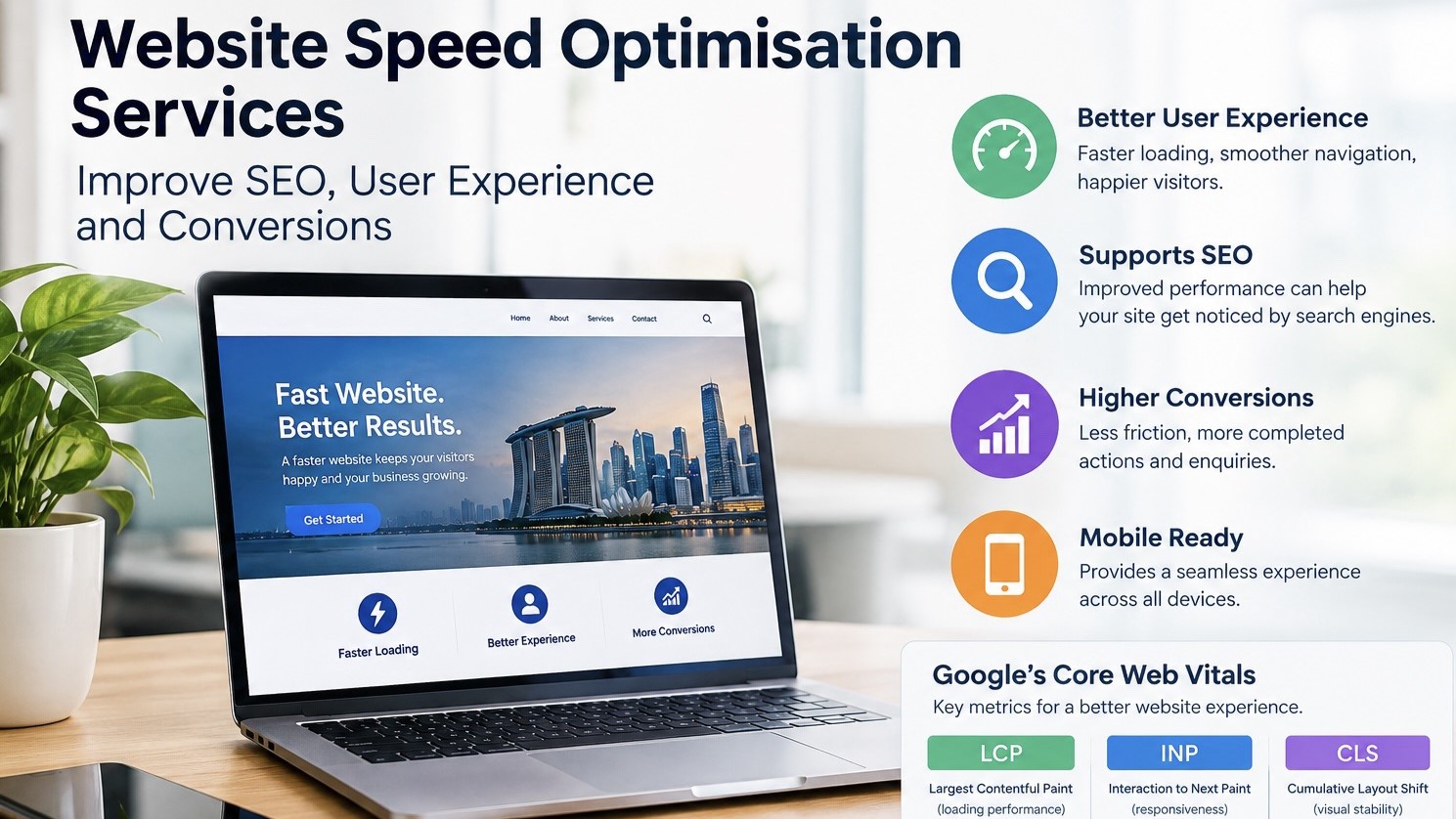
A website may offer excellent products or services, but if its pages take too long to load, visitors may leave before discovering what the business offers. Slow websites can create frustration, interrupt the customer journey, and make it harder for potential customers to complete important actions such as submitting enquiries, booking appointments, or making purchases.
For businesses competing online in Singapore, website performance is an important part of a broader digital marketing strategy. Customers expect websites to load quickly, respond smoothly, and work properly across mobile devices and desktops. Search engines also consider page experience alongside other signals when evaluating search results.
This is where website speed optimisation services become valuable. By identifying performance bottlenecks and improving how a website loads and responds, businesses can create a smoother browsing experience while supporting their SEO and conversion goals.
What Are Website Speed Optimisation Services?
Website speed optimisation services involve analysing and improving the technical performance of a website. The objective is to help pages load efficiently, respond quickly to user interactions, and display content without unexpected layout changes.
Website speed optimisation goes beyond reducing the size of a few images. It may involve reviewing hosting performance, caching, JavaScript, CSS, database queries, third-party scripts, and the way website content is delivered to visitors.
Common optimisation activities include:
- Compressing and resizing images without unnecessarily reducing quality.
- Reducing unused CSS and JavaScript.
- Configuring browser caching and server-side caching.
- Improving server response times.
- Optimising fonts, scripts, and other resources that delay rendering.
- Testing performance across mobile devices and desktop browsers.
The right approach depends on the website’s platform, technical structure, traffic patterns, and existing performance issues. A WordPress business website, for example, may require different improvements from a large ecommerce store with thousands of product pages.
Why Website Speed Matters for SEO and Business Growth
1. It Supports a Better User Experience
Visitors expect to access information without unnecessary delays. When a website loads slowly or buttons respond inconsistently, users may struggle to find products, explore services, or complete forms.
A faster, more responsive website makes navigation easier and helps visitors move through the customer journey with less friction.
2. It Supports Search Engine Optimisation
Google uses Core Web Vitals to assess important aspects of real-world user experience. These metrics measure loading performance, responsiveness, and visual stability.
However, improving website speed does not automatically guarantee higher rankings. Search visibility also depends on content relevance, search intent, site structure, authority, and other ranking signals.
For businesses investing in SEO services in Singapore, technical performance should complement useful content and a well-organised website.
3. It Can Help Improve Conversions
Website performance can influence how easily visitors complete important actions. A slow product page, delayed booking form, or unresponsive checkout may interrupt a potential sale.
Speed improvements alone cannot guarantee more conversions, but they can remove technical obstacles that make the customer journey harder. Businesses should measure conversion rates and lead quality before and after significant changes to understand their actual impact.
4. It Is Especially Important for Mobile Visitors
Many customers discover businesses through mobile searches, social media, and paid advertisements. These visitors may use different devices and network connections, so a website that performs well on a desktop computer may still feel slow on a smartphone.
Mobile performance testing helps businesses identify problems that may otherwise remain unnoticed.
Understanding Google’s Core Web Vitals
Core Web Vitals provide measurable indicators of website experience. Google recommends aiming for the following thresholds at the 75th percentile of real-user visits.
| Metric | What it measures | Good performance target |
| Largest Contentful Paint (LCP) | How quickly the main visible content loads | 2.5 seconds or less |
| Interaction to Next Paint (INP) | How quickly a page responds to user interactions | 200 milliseconds or less |
| Cumulative Layout Shift (CLS) | How stable the page layout remains | 0.1 or less |
These benchmarks are explained in Google’s Core Web Vitals documentation.
LCP can be affected by large hero images, slow server responses, and render-blocking resources. INP problems may arise from heavy JavaScript or scripts that keep the browser busy. CLS issues often occur when images, advertisements, fonts, or embedded elements change the page layout unexpectedly.
Businesses should evaluate these metrics using real-user data where available, rather than relying entirely on a single laboratory test.
How to Improve Website Speed: A Practical Step-by-Step Approach
Step 1: Run a Website Performance Audit
Start by testing important pages with Google PageSpeed Insights. Review both mobile and desktop results, paying attention to performance diagnostics and Core Web Vitals data.
Test more than the homepage. Service pages, product pages, blog articles, and landing pages may have different performance problems.
Step 2: Optimise Images and Media
Large image files can significantly increase page weight. Use appropriately sized images, modern formats such as WebP or AVIF where suitable, and compression that preserves acceptable visual quality.
Avoid lazy-loading the main image that determines LCP when it needs to load immediately. Lazy-loading is generally more appropriate for images that appear further down the page.
Step 3: Reduce Unnecessary Code
Themes, plugins, tracking scripts, animations, and external widgets can add processing overhead. Review which resources are actually needed and remove unnecessary dependencies.
Minimising CSS and JavaScript may help, but the biggest gains often come from eliminating unused code and preventing nonessential scripts from delaying important content.
Step 4: Improve Hosting and Caching
Slow server responses can delay the entire loading process. Depending on the website, improvements may involve better hosting resources, server-side caching, a content delivery network (CDN), or database optimisation.
Caching should be configured carefully to avoid serving outdated content or interfering with personalised pages, shopping carts, and account-specific information.
Step 5: Test, Monitor, and Maintain Performance
Website optimisation is an ongoing process. New plugins, design updates, marketing tags, and website features can introduce performance problems after an initial improvement.
Monitor real-user performance through Google Search Console where sufficient data is available. Re-test important pages after major updates and prioritise fixes according to their impact on users and business goals.
How to Choose the Right Website Speed Optimisation Services
Not every website needs the same technical solution. Before selecting a provider, businesses should understand what the service includes and how improvements will be evaluated.
Look for a provider that offers:
- A performance audit covering important pages and mobile usability.
- Technical recommendations based on measured problems rather than generic checklists.
- Experience with the website’s platform and hosting environment.
- Core Web Vitals testing and appropriate conversion tracking.
- Post-implementation testing and ongoing monitoring recommendations.
Be cautious of guarantees based solely on a perfect PageSpeed score. Laboratory scores can fluctuate, and real-user performance depends on devices, networks, page content, and visitor behaviour.
A credible optimisation process should explain the issues found, the proposed fixes, the expected benefits, and the results after implementation.
How Website Speed Optimisation Fits into a Wider Digital Marketing Strategy
Website performance works best when it supports the rest of a business’s digital marketing activity.
For organic search, a technically sound website makes it easier for visitors to navigate useful content and access relevant services. For paid campaigns, fast and relevant landing pages can reduce friction between an advertisement and its intended action.
Businesses investing in PPC services in Singapore should review the speed and usability of their landing pages alongside keyword targeting, ad relevance, and conversion tracking.
Internal links, clear navigation, useful service information, and accessible page layouts also help create a more consistent user experience.
Maninder Wave helps businesses approach digital marketing with a focus on search visibility, campaign performance, and measurable business objectives. Integrating technical website improvements with SEO and PPC strategies can help businesses identify barriers to growth and build a stronger foundation for online marketing.
Conclusion
Website speed is an important part of building a reliable and user-friendly online presence. Slow loading, delayed interactions, and unstable layouts can make it harder for visitors to engage with a business, while unresolved technical issues may undermine broader SEO efforts.
By auditing website performance, optimising images and code, improving caching, and monitoring Core Web Vitals, businesses can identify practical opportunities to improve their websites.
For sustainable results, speed optimisation should be part of an ongoing digital marketing strategy rather than a one-time technical fix. When website performance, useful content, SEO, and PPC work together, businesses are better positioned to deliver a smoother customer experience and support their long-term growth.
Frequently Asked Questions
Website speed optimisation services identify and resolve technical issues that make a website slow or difficult to use. They may include image optimisation, caching, code improvements, server configuration, and Core Web Vitals enhancements.
Website speed and page experience can contribute to search performance, but they are not the only ranking factors. Relevant content, search intent, site quality, and other signals remain important. A fast website does not automatically outrank a more relevant competitor.
Google PageSpeed Insights is a useful starting point for analysing individual pages. Lighthouse can help diagnose laboratory performance issues, while Google Search Console can provide aggregated real-user Core Web Vitals information when sufficient data is available.
The timeline depends on the website’s complexity and the issues discovered. Image compression and basic caching changes may be relatively quick, while server migrations, JavaScript restructuring, or complex ecommerce fixes may require considerably more work.
Businesses can use performance improvements to make websites easier to browse, reduce technical friction, support SEO efforts, and improve the experience of visitors arriving from organic search and paid campaigns. Actual business outcomes should be measured through analytics and conversion data.
